Free HTML appointment scheduler
Accept bookings 24/7 through your business’ website.

Accept bookings 24/7 through your business’ website.

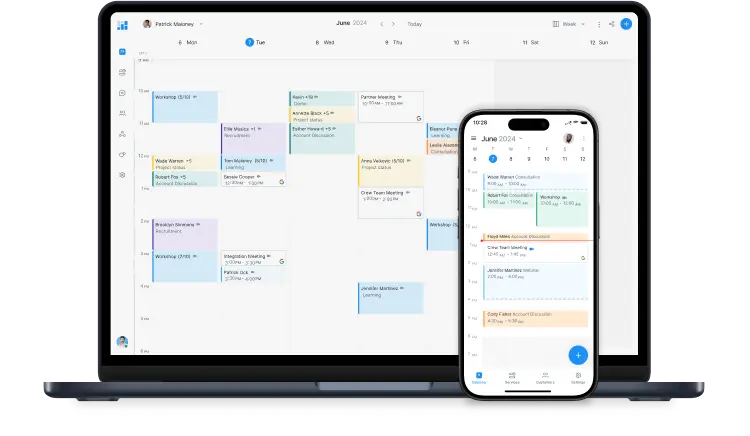
Your website showcases your services, locations, expertise and more. When a potential customer is hooked, make it straightforward for them to reserve your time.
A ‘Book now’ button can be placed on any page, linking site traffic to your online Booking Page. Enable people to pick a time, pay and confirm appointments independently.
An appointment scheduler for your HTML website is just one of the powerful features that comes with your account.
Sign up for FREEI’ve used Setmore for over 3 years, it's a brilliant booking app that does all the hard work for me!
―Rowena GledhillAwesome way to make appointments.


Capterra Top 20
Reservations
Setmore gives me a great option for online booking and booking management. I love that it gives my customers reminders and offers the opportunity to pay ahead of time.
―Christine M.It’s easy to set up and get started. I tried others for a minute and never finished.
―Holly B.Clients find it very easy to use.

Very easy to manage, great customer support, clear and simple interface.
―Jörgen P.
GetApp Category Leaders
Reservation & Online Booking
Simply choose how you’d like your ‘Book now’ button to appear and your Setmore app generates a unique HTML snippet. You can paste this into the code of any website page.
When the button is clicked, your Booking Page appears front and center. Your customer confirms their appointment and the details land in your calendar.


Prefer to bypass the ‘Book now’ button? No problem, you can embed your full Booking Page on any site page. By providing an instant route to scheduling as visitors shop around, your business becomes far more competitive.
Browse customization options for our HTML website appointment scheduler widget.
Boosting your bookable hours is what encouraged us to build an appointment scheduler for HTML websites. Your customers can self-schedule online without needing to contact you, and email or text reminders are automated.
Save valuable time by eliminating the need for manual calendar updates and routine follow-ups.

Whether you use WordPress, Squarespace, Shopify or Jimdo, it takes only minutes to connect Setmore’s booking widget. Want to see how it works? Schedule a free demo with our team.
Book a demo
Learn more about the benefits of Setmore’s appointment scheduler widget for HTML websites here.
The Support Center has how-to articles for the ‘Book now’ button and creating a booking section on your website. To get started, sign up for your free html5 appointment scheduling widget here.
Yes. By default, the HTML snippet from Setmore features your full Booking Page URL. If you’d like to direct customers to book a specific service, simply replace the Booking Page URL with the service URL.
Yes. Use the same process as above but replace the Booking Page URL with the staff booking URL.
Yes. Appointments taken through your Booking Page appear in your Setmore calendar by default. However, you can enable an Apple, Google or Office 365 sync so appointment details also reflect in an external calendar.
For more information, explore our features, integrations, and use cases.
Highly recommend Setmore to anyone. I must have tried a zillion apps and you can trust me that this is the best!
— Sruthi Ravindran
Need more options to suit your larger organisation? Work with us to create an all-in-one booking system that grows with you. Contact us
Unlimited users
$12 and $5 user / month
Up to 4 users
$0 user / month
Need more options to suit your larger organisation? Work with us to create an all-in-one booking system that grows with you. Contact us