Features — 3 min read
Live Receptionist: Every call answered, powered by AnswerConnect
When it comes to running a service-based business, appointments matter. They make up your day—and automated scheduling saves you even…
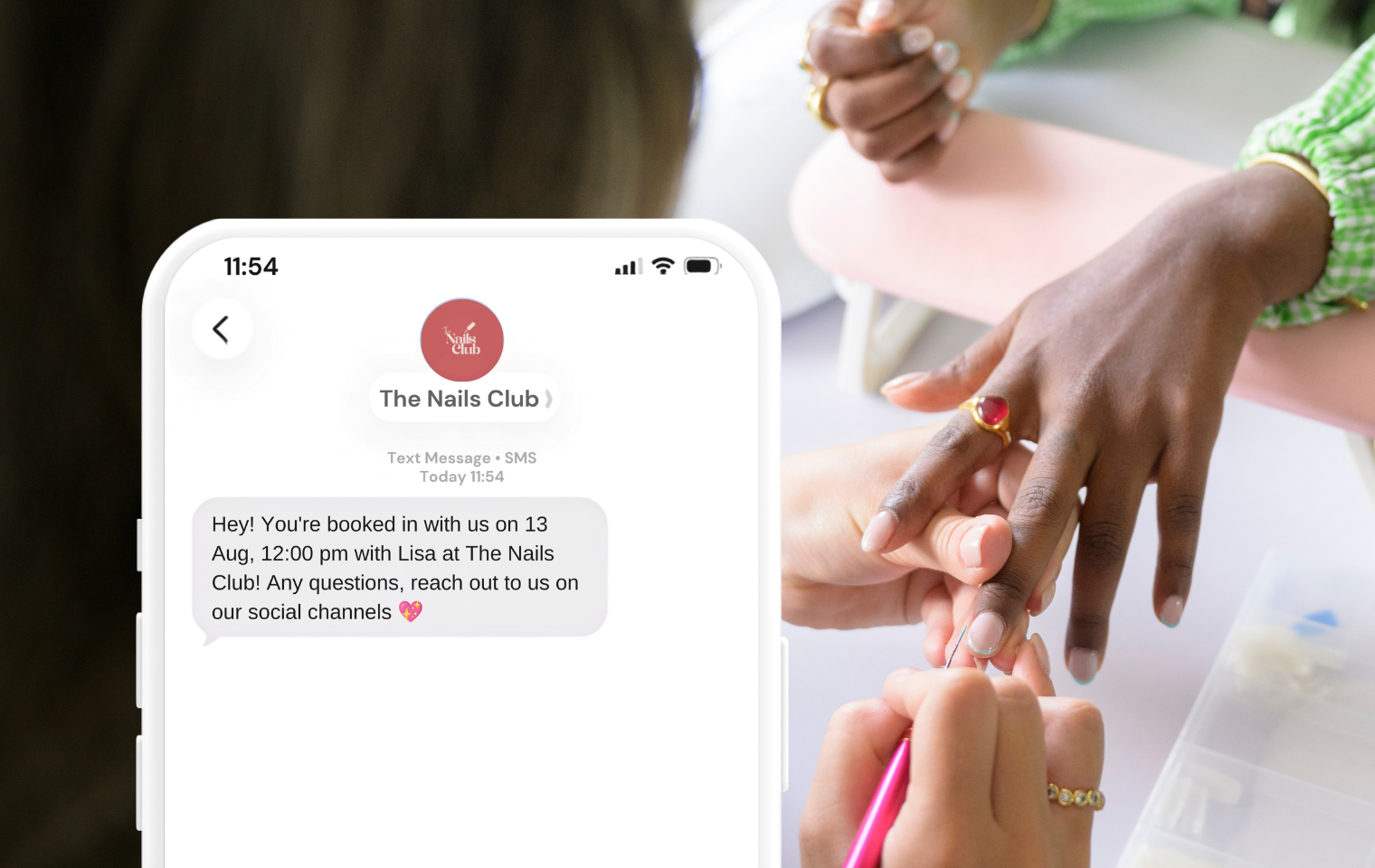
Ever had a customer just not show up? No call, no text, just an empty slot where an appointment used to be. It happens to every business, and it’s one of the most annoying (and costly) parts of running one.
With Setmore Pro, a simple automated SMS goes out before each appointment at a lead time you choose. “I forgot” stops being an excuse. Flip the switch once in Settings > Notifications > Customer Notifications, set your lead time, customize the message, and Setmore takes care of the rest.
It’s something worth doing: people read texts. Industry data puts SMS open rates around 95-98%, compared to emails at 20-20%. That means that a text reminder is getting seen roughly 3-4x more than an email ever will.
It’s one of the most used Pro features for exactly this reason, a quick setup that quietly saves you from chasing down no-shows.
SMS or text appointment reminders are automated messages Setmore sends to your customer phone number. You choose the lead time, that could be minutes, hours or days ahead of their appointment. Each message includes a date, time, service and team member assigned to that particular booking.
SMS reminders are a Setmore Pro feature. Compare plans if you’re still on Free.
Note: SMS reminders for class bookings are currently available only to Pro customers in the US, UK, Canada, and Australia. Delivery isn’t guaranteed in every country, check our SMS fair usage policy to see if your country is supported.
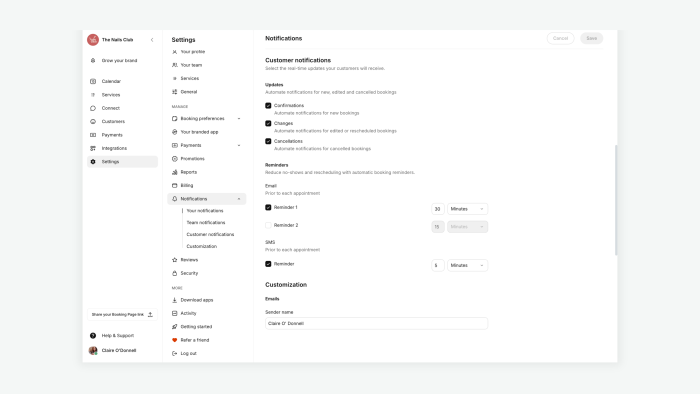
Note: if you’re logged in as a team member and don’t see this menu, you likely need admin access, ask your account owner to enable it.
Keep in mind: message templates have a character limit, so keep custom additions concise.

Click any appointment in your calendar to open Appointment Details, then click the tooltip icon next to the header. This shows whether the reminder was sent successfully or, if not, why (most commonly: an incorrect number or a landline entered instead of a mobile number).
If a reminder is still pending, scroll down and click Send now to trigger it manually.

Do I need Setmore Pro for text reminders? Yes. SMS appointment reminders are a Pro feature and aren’t available on the Free plan.
Can I send more than one reminder per appointment? No — Setmore currently sends a single SMS reminder per booking, at the lead time you set.
Can customers reply to a text reminder? Not by default. SMS reminders are one-way. You can add a separate reply-to number in your message template if you want customers to be able to text you.
Can I use text reminders for marketing or promotions? No. Setmore’s SMS policy restricts messages to appointment-related content only — using reminders for marketing can get messages flagged as spam and may violate the fair usage policy.
Why didn’t my customer receive their reminder? The most common causes are an incorrectly entered phone number or a landline number entered instead of a mobile number. Check the reminder status in Appointment Details to confirm.

by Julia
Scottish, loves animals

When it comes to running a service-based business, appointments matter. They make up your day—and automated scheduling saves you even…
Growing your brand really starts with perception and experience. When your customers are heard, seen, and understood, they feel supported…

Whether you’re just starting out or have been running your business for a while, there’s one crucial ingredient you might…