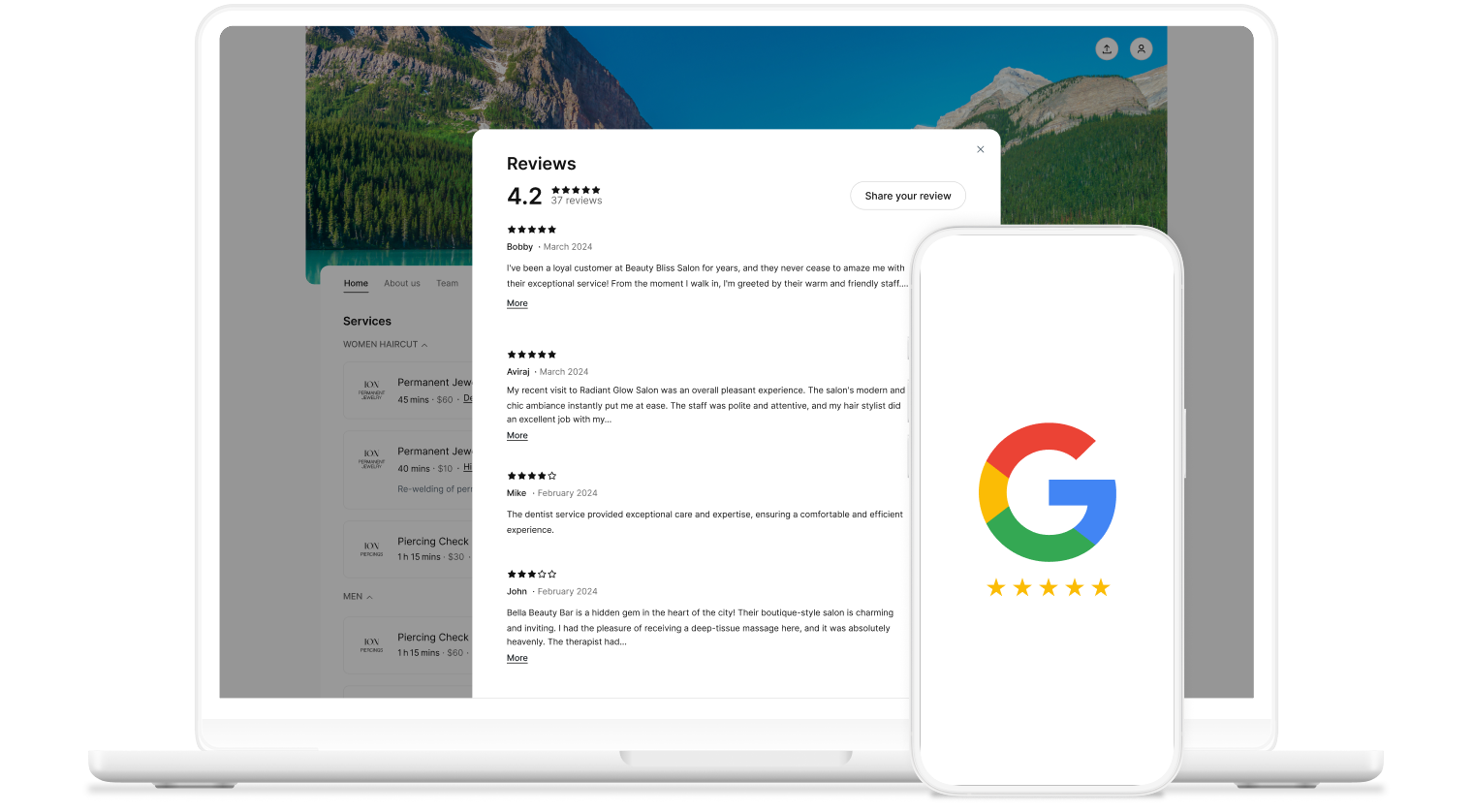
Google reviews on your Booking Page

Set your brand apart and build trust by showcasing stellar reviews on your Booking Page. 

Google reviews booking page

By the people

Collecting reviews shows you’re the real deal and keeps visitors on your page to explore your offerings.

icon tick

Let ‘em know

Showcasing your best reviews on your Booking Page sets you apart from your competitors.

icon tick

The best of the best

Highlight your reviews to spotlight loyal customers and show first-time visitors what they love most.
icon tick
google reviews video preview

Grow your rep, and your brand

76% of customers say they buy from brands they feel connected to over competitors.

Showcasing reviews lets Booking Page visitors know what they can expect and helps you establish credibility—even before an appointment is booked.

How to get Google business reviews on Setmore

  1. In your web app, go to Settings > Reviews > Preferences. Click the Google reviews tile.
  2. Click the ‘Connect’ button.
  3. Sign in with your Google account linked to your Google Business Profile.
  4. Click ‘Continue’ to grant Setmore access.


Existing Google Reviews will instantly display on your Booking Page, while new ones update automatically. For illustrated steps, read our support article.


Just Google it

Optimize your Google Business Profile with reviews and boost where your business appears in Search & Maps. Good reviews and specific details mentioned moves you up in SERPs.

Capitalize on improved visibility with Reserve with Google by adding a 'Book now' button to your listing.


The customer is always right

Getting Google reviews helps you continuously improve your customer experience—while quick responses highlight your professionalism.

Showcase Setmore and Google reviews on your Booking Page, ensuring that the best ones are shown regardless of platform.


No input necessary

When you get a booking, an automated confirmation is sent to you and your customers, followed by a reminder shortly before the appointment to reduce no-shows.

With Pro, you can automate Google review requests. Once they leave feedback, it instantly displays on your Booking Page.

Your je ne sais quois

Showcase what makes you unique on your Booking Page. Display your brand with images, your logo, colors, and most importantly, your reviews.


woman with a phone

Found, booked, paid.

How to get seen in search results

Boost your online visibility with these local SEO tactics and turn customers into reviewers.

seo optimisation

Grow your brand independently

Leave the marketplace behind and learn how to leverage your brand—no commission required. 

brand colors

Accept Booking Page payments

Discover how to get paid ahead of time through your Booking Page or in-person with your calendar

online payment

Your questions answered

Can't find the answer to your question? Call us now:+1 (800) 749-4920 or email us help@setmore.com

For more information, explore our features, integrations, and use cases.